xe66 App
Download & Install
Get the xe66 App on your Android phone and play slots, live casino, cricket betting, and Crash from anywhere. Free APK — no Google Play needed. Works with bKash and Nagad.
58 MB · Android 7.0+ · Free · 18+ · Play Responsibly
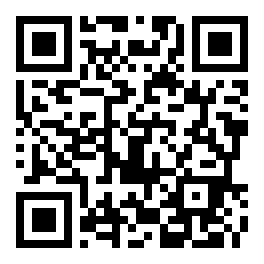 Scan to Download
App vs Browser: What Actually Changes
Both the xe66 App and the mobile browser version let you deposit via bKash, claim bonuses, and play the full game library. But the app gives you a noticeably faster and more stable experience on a mid-range Android phone.
| Feature | xe66 App (APK) | Mobile Browser |
|---|---|---|
| Full game library access | Yes — all 2,800+ games | Yes |
| bKash / Nagad deposit | In-app, 1-minute processing | Yes |
| Push notifications (match results, bonus alerts) | Yes — opt-in | No |
| Live score widget | Pinned to home screen | No |
| Fingerprint / PIN login | Supported | Not available |
| Battery & data usage | Optimised for 3G/4G | Varies by browser |
| Offline balance check | Last-session balance cached | No |
| Auto-login (saved session) | Stay logged in | Browser-dependent |
| Quick deposit shortcut | One tap from home screen | No |
| File size / install | 58 MB APK download | No install needed |
If you bet on cricket regularly or play live casino in the evenings, the app's push notifications and faster loading are worth the 58 MB install. Casual players who don't want to install anything can still use the full site at xe66.guru.
How to Install xe66 App on Android
Android blocks APK files from outside Google Play by default. You need to allow "Install from unknown sources" once — it takes about 15 seconds. After that, the full install is straightforward.
-
1
Allow Installation from Unknown Sources
Go to your phone's Settings → Security (or Privacy → Install Unknown Apps on newer Android). Find your browser in the list and toggle "Allow from this source" to ON. This one-time step tells Android it is safe to install APK files you download yourself. You can turn it off again after installation if you prefer.
-
2
Download the xe66 APK File
Tap the "Download APK" button on this page. Your phone will save xe66.apk (58 MB) to your Downloads folder. Wait for the download to finish — on a standard 4G connection it takes under a minute. Do not close your browser while the file is downloading or the file may be incomplete.
-
3
Open the APK and Start Installing
Once the download is complete, tap the notification "xe66.apk downloaded" or open your Files / Downloads app and tap the file. Android will show an install prompt listing the app's permissions. Read through them, then tap "Install". The process takes about 10 seconds on most phones.
-
4
Open xe66 App and Log In
After installation completes, tap "Open" in the install prompt, or find the xe66 icon on your home screen. If you already have an account, tap Log In and enter your credentials — or use fingerprint login if you set it up. New players should tap Register to create a free account first. See the xe66 Login guide if you need help.
-
5
Deposit via bKash or Nagad and Start Playing
Tap Deposit in the app menu. Select bKash, Nagad, Rocket, or Bank Transfer. The minimum deposit is ৳500. Your first deposit gets a 100% bonus up to ৳28,000 automatically. Funds arrive in your wallet within 1 minute. Head to the lobby and pick a game. Full deposit steps are at the xe66 Deposit Guide.
iPhone — Add xe66 to Your Home Screen
Apple does not allow APK files. iPhone users access xe66 through Safari and add it as a web app — it looks and works almost exactly like a native app.
- Open Safari on your iPhone and go to xe66.guru.
- Tap the Share button (the square with an arrow pointing up) at the bottom of the screen.
- Scroll down in the Share sheet and tap "Add to Home Screen".
- Give it the name xe66 and tap Add in the top-right corner.
- The xe66 icon will appear on your home screen. Tap it to open the site in full-screen mode — no browser address bar, no toolbar.
Note: Push notifications are not available on the iOS web app version. Everything else — games, deposits, withdrawals — works fully.

The APK is scanned and verified before every release. No third-party sources.
What You Can Play Inside the xe66 App
The app gives you access to the complete xe66 game lobby — same titles, same odds, same bonuses as the desktop site. Here are the main categories and what makes each one worth your time on mobile.
Slots & Arcade Games

Playtech's 24 Hour Grand Prix (RTP 97.6%), Spribe's Mines (RTP 97.4%), and Red Tiger's Wheel load quickly even on 3G. Minimum bet from ৳2. The app keeps your last-played games pinned at the top of the lobby so you do not have to search every time.
Live Casino & Teen Patti

Sexy Gaming and Playtech live tables — roulette, baccarat, and CQ9's Teen Patti (from ৳1 per hand). The app streams HD live feeds efficiently, so you get a stable picture without burning through your mobile data. Landscape mode gives you a wider table view when you rotate your phone.
Sports & Cricket Betting
Follow BPL, IPL, T20 World Cup, and domestic Bangladesh matches. The live score widget sits at the top of the sports lobby so you can watch the game and place in-play bets at the same time. CQ9's Monster Triple sports game (RTP 95.9%) is also available. Cash-out is supported on selected markets.
Crash & Fast Games
Spribe's Go Rush (up to ৳50,000 max bet), Aviator
Fishing Games
CQ9's God of Fish Slicing (RTP 97.3%) and Playtech's Gold Toad Fishing (RTP 97.6%) are some of the highest-RTP titles in the lobby. The touch controls are designed for phone screens — tap to aim, hold to fire. Bet from ৳1 up to ৳20,000 per round. Great for players who want skill-based gameplay.
Deposits & Withdrawals
Tap Deposit from anywhere in the app. bKash, Nagad, Rocket, and Upay are all one tap away. Deposits process in under 1 minute. Withdrawal requests clear in about 22 minutes. The minimum deposit is ৳500 and the minimum withdrawal is ৳600. Daily withdrawal limit at Copper tier is ৳25,000. See full deposit guide.
Permissions & What xe66 App Accesses
When you install the APK, Android shows a list of permissions the app requests. Here is what each one is for and why it is needed.
Internet Access
Required to connect to game servers, load live casino streams, process deposits, and fetch live sports odds. The app does not work without an active data connection. No data is shared with third parties outside of the payment gateway (bKash/Nagad) during transactions.
Notifications (Optional)
If you grant notification permission, the app can send you alerts for match results, reload bonus windows, and withdrawal confirmations. This permission is optional — the app works fully without it. You can manage it any time in Settings → Apps → xe66 → Notifications on your phone.
Biometric / Fingerprint
If your phone supports fingerprint login, the xe66 App can use it for quick re-login. Your fingerprint data never leaves your phone — it is processed entirely by Android's secure hardware. xe66 only receives a pass/fail signal. You can disable biometric login inside the app under Account → Security Settings.
Secure Connection (SSL/TLS)
All traffic between the xe66 App and our servers is encrypted with TLS 1.3. Your account credentials and payment details are never sent in plain text. The APK itself is code-signed: if someone tampers with the file, Android will refuse to install it. Always download from xe66.guru only.
System Requirements & Version Details
The xe66 App is built to run on most Android phones sold in Bangladesh over the last several years. You do not need a flagship device.
| Detail | xe66 App (Android) | Notes |
|---|---|---|
| Current Version | 3.5.2 | Always download from this page for the latest build |
| File Name | xe66.apk | Check the filename before installing |
| File Size | 58 MB | Download on Wi-Fi to save mobile data |
| Minimum Android Version | Android 7.0 (Nougat) | Android 10+ recommended for best performance |
| Last Updated | 9 November 2026 | Updates released monthly or after major game additions |
| Price | Free | No hidden charges for the app itself |
| Languages | English, Bangla | Switch in Account → Language settings |
| iOS / iPhone | Web App via Safari | Add xe66.guru to Home Screen for app-like experience |
Download xe66 APK
Direct link — no redirects, no ads. The file comes straight from xe66 servers.
xe66 App at a Glance
Common Installation Problems — Quick Fixes
Most APK install errors have a simple fix. Here are the five issues players report most often, and exactly what to do.
| Problem | Likely Cause | Fix |
|---|---|---|
| "Install blocked" message appears | Android's "Install Unknown Apps" toggle is off for your browser or file manager | Go to Settings → Security → Install Unknown Apps, find your browser (e.g. Chrome), and turn the toggle ON. Then try opening the APK again. You can turn it off again after installation finishes. |
| "App not installed" error after tapping Install | An older version of the xe66 App is already on your phone, or the downloaded file is incomplete | Go to Settings → Apps → xe66 and uninstall the existing version first. Then re-download xe66.apk from this page and try again. Make sure the download completed fully (file should be exactly 58 MB). |
| Download stops midway or file is corrupted | Weak mobile signal or the browser cancelled the download in the background | Switch to Wi-Fi if possible, or move to an area with a stronger signal. Clear your browser's download queue, then tap the Download APK button on this page again. Do not switch apps while the file is downloading. |
| App crashes immediately after opening | Android version below 7.0, or insufficient free storage space on the device | Check your Android version under Settings → About Phone → Software Information. If it shows Android 6 or lower, the app will not run. Also check that you have at least 150 MB of free storage — the app needs room to unpack after install. |
| Login page does not load inside the app | No active internet connection, or the app needs a one-time cache clear after a fresh install | Make sure mobile data or Wi-Fi is turned on. If the connection is fine, go to Settings → Apps → xe66 → Storage → Clear Cache, then reopen the app. If the problem continues, contact xe66 24/7 Live Chat from within the app menu. |
Questions Players Ask About the xe66 App
01Is the xe66 APK safe to download?
Yes. The APK is built and signed by xe66's own development team and hosted directly on xe66.guru — it does not go through any third-party APK mirror sites. Every release is scanned before publishing. The file is TLS-encrypted in transit, so what you download is exactly what was uploaded. Android will also refuse to install a tampered file because the code signature would not match. Always download from this page only, and check that the file name is xe66.apk and the size is 58 MB.
02Why is the xe66 App not on Google Play?
Google Play does not list real-money gambling apps for the Bangladesh market. This is a Google policy decision — it applies to all online casino and sports-betting apps in this region, not just xe66. The APK route is the standard way to install these apps in Bangladesh. It is completely legal to side-load an APK on your own Android phone, and enabling "Install Unknown Apps" for a single session does not affect your phone's other security settings.
03How do I update the xe66 App when a new version comes out?
The app sends you a push notification when an update is available — tap it to come straight to this download page. If you have notifications off, check the version number under Account → App Info inside the app and compare it to the version shown on this page (currently 3.5.2). To update, simply download the new APK from this page and tap to install it over your existing app. You do not need to uninstall first — your account data, settings, and balance are all stored server-side and are not affected by an update.
04Can I use the same account on both the app and the browser?
Yes, your xe66 account works across all platforms — the Android app, the iPhone web app, and the desktop browser — using the same username and password. Your wallet balance, bonus balance, game history, and VIP progress sync instantly across all sessions. You can even have the browser open on your laptop and the app running on your phone at the same time, though for security reasons you can only be logged into the same game on one device at a time. See the xe66 Login guide for account setup details.
05Does the app work without Wi-Fi on a mobile data connection?
Yes. The xe66 App is optimised for 4G and also works on a stable 3G connection. Slots and crash games use very little data per round. Live casino streams use more — roughly 60–80 MB per hour at the standard quality setting. You can lower the stream quality in the live casino settings to reduce data usage. The app will not function in aeroplane mode or in areas with no signal, as all game results and transactions require a live server connection to be valid.
06I do not have an xe66 account yet — can I register inside the app?
Yes. Tap Register on the xe66 App's opening screen. Fill in your mobile number, set a password, and enter the referral code if a friend shared one with you (they earn ৳450 when you deposit). The whole registration takes about 90 seconds. Your first deposit of ৳500 or more unlocks the 100% welcome bonus up to ৳28,000 automatically — no coupon code needed. You can also register at xe66.guru/xe66-register/ from a browser first and then log in on the app.
07What should I do if I forget my password on the app?
On the xe66 App login screen, tap "Forgot Password?" below the password field. Enter the mobile number linked to your account. You will receive an OTP via SMS — enter it on the next screen and set a new password. The whole process takes under two minutes. If you no longer have access to that mobile number, contact xe66's 24/7 Live Chat from the app's Help menu. Support agents can verify your identity through your registered details and assist with account recovery. See also the Login page for more help.
Still Need Help?
xe66 support is available around the clock. Live Chat agents respond in English and Bangla within a minute — no ticket queue.
Open Live Chat- 18+ Only
- SSL Encrypted
- 24/7 Support
- bKash
- Nagad
- Rocket
- Bank Transfer
- Upay